The station, not the computer
Type the callsign and CQRLOG shows the country, CQ and ITU zones, beam heading, your previous contacts with the station and whether it is a new country, band or mode for you. Name, QTH and locator come from HamQTH, QRZ.com or QRZCQ. Super Check Partial suggests calls while you type, and the whole QSO can be logged from the keyboard.
Country resolution you can rely on
DXCC, zones and IOTA are resolved with the country tables maintained by OK1RR, including dated exceptions for individual calls and expeditions. The tables update from inside the program, so old contacts keep the country that was valid at the time.
Radio, rotator and keyer
Frequency and mode are taken from the radio through hamlib, and clicking a spot tunes the radio. The rotator control gets the beam heading of the station you are working. CW goes out from memory keys through WinKeyer, K3NG, cwdaemon or hamlib, and the voice keyer plays recorded messages for SSB.
See who is on the band
DX cluster and the Reverse Beacon Network feed graphical band maps: as many windows as you like, each following the VFO or fixed on a band, with its own filter. Stations you still need stand out, and club membership can be shown next to the call. The grayline map shows where the spots come from.
Digital modes
In remote mode, contacts made in WSJT-X or fldigi are logged automatically, with the same country and QSL information as any other QSO. The WSJT-X monitor highlights CQ calls from stations you have not worked yet.
QSL without the paperwork
LoTW export is signed and uploaded in one step, and confirmations are downloaded back into the log. eQSL works both ways too. ClubLog, HamQTH and HRDLog can receive every QSO right after you save it. For paper QSLs there is a QSL manager database and label export.
Awards and statistics
DXCC, WAZ, ITU, IOTA, worked grids, big squares, DOK and US counties, by band and mode, worked and confirmed. Club membership statistics cover more than a hundred clubs, from FOC to EPC.
Your data stays yours
The log is a MariaDB/MySQL database. CQRLOG can run its own database server in your home directory, or use a server on your network so several computers share one log. Keep as many separate logs as you need, import and export ADIF, export Cabrillo, EDI and SOTA, and let CQRLOG back up the log every time you close it.
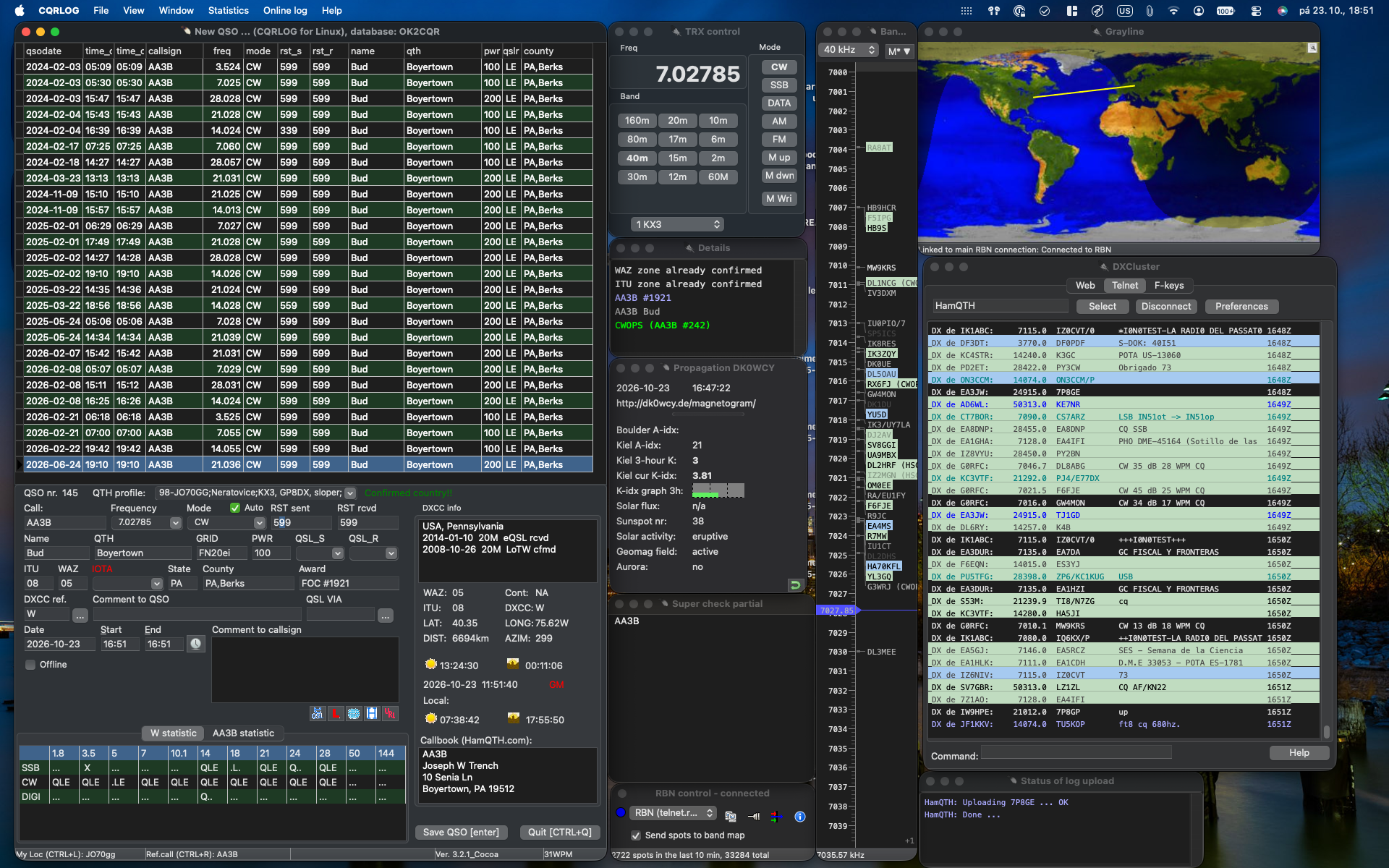
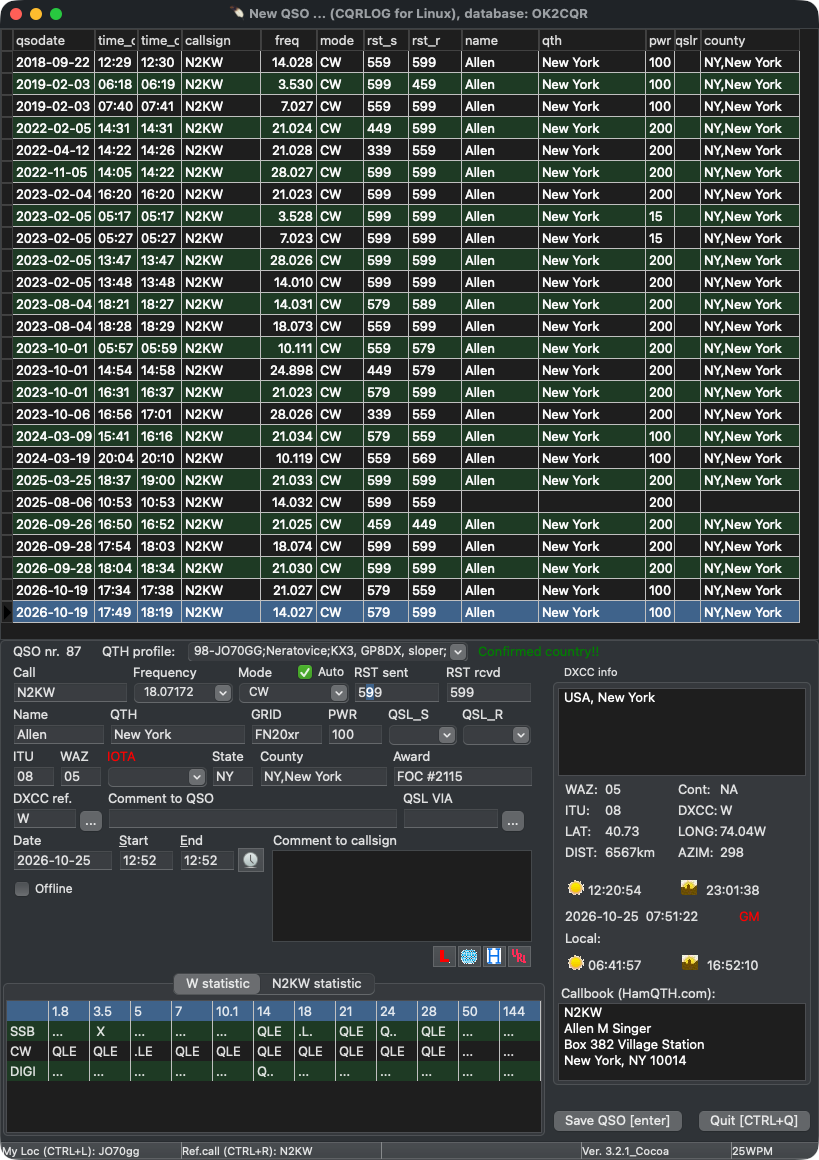 New QSO: previous contacts, DXCC and callbook data
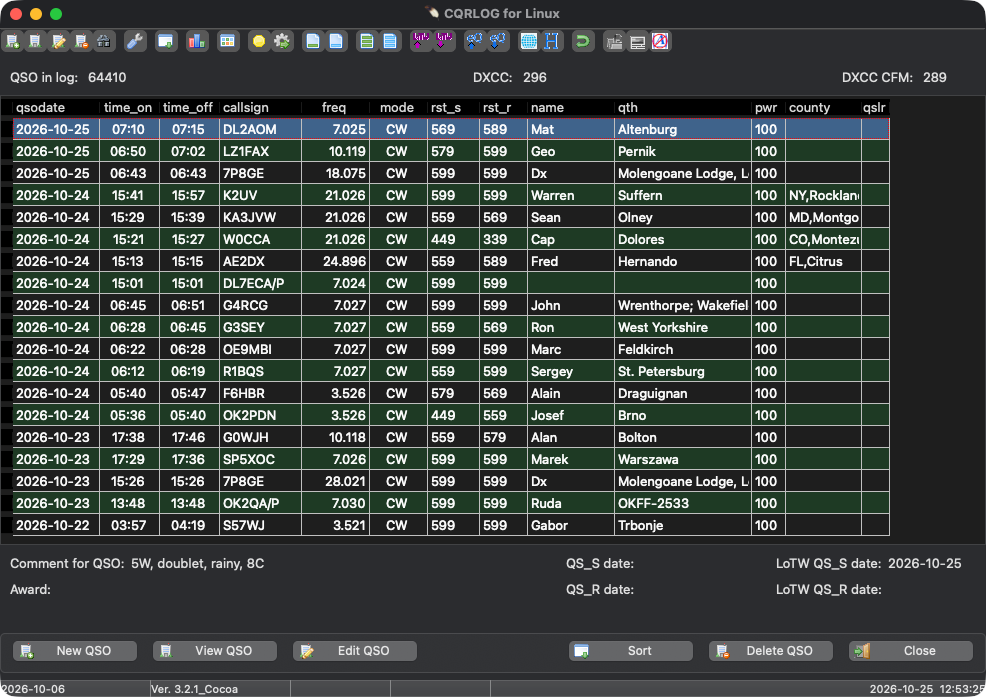 QSO list with QSL and LoTW status
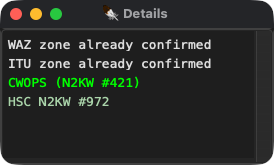 Details: confirmed zones and club memberships of the station
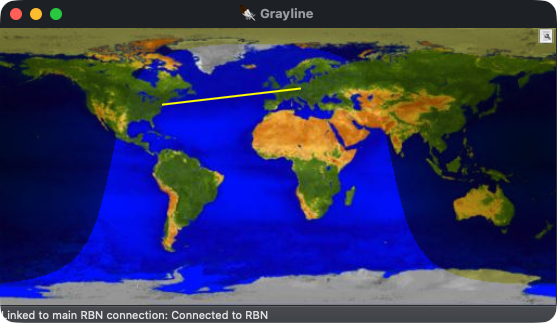 Grayline map with a live RBN spot
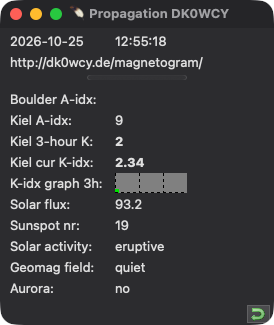 Propagation data from DK0WCY
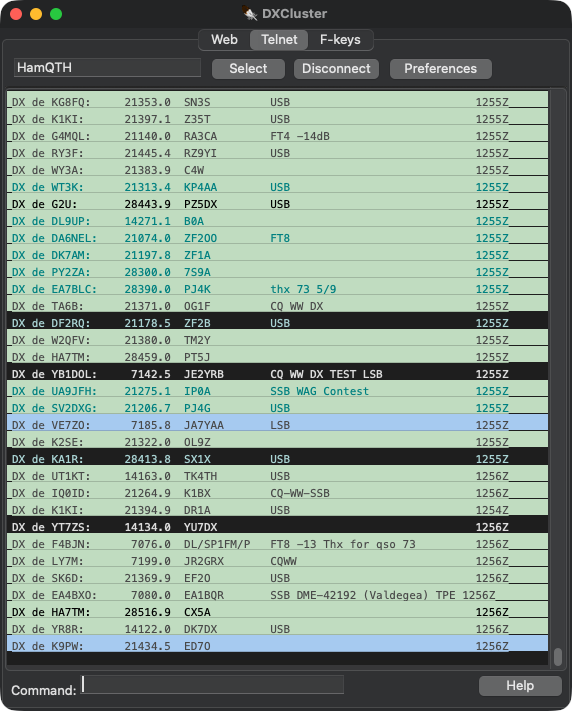 DX cluster, spots coloured by what you need
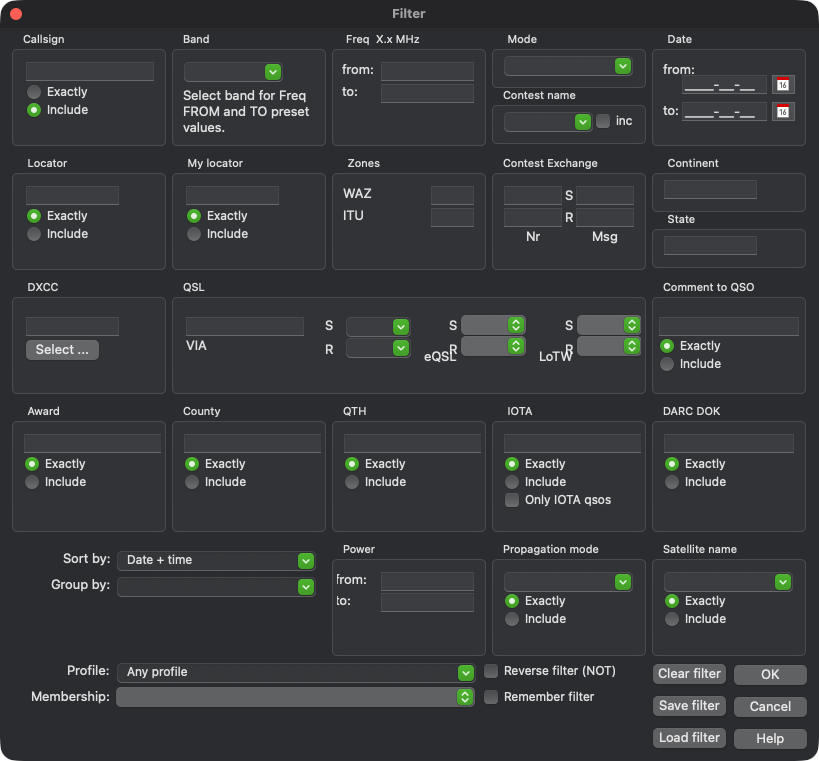 QSO filter
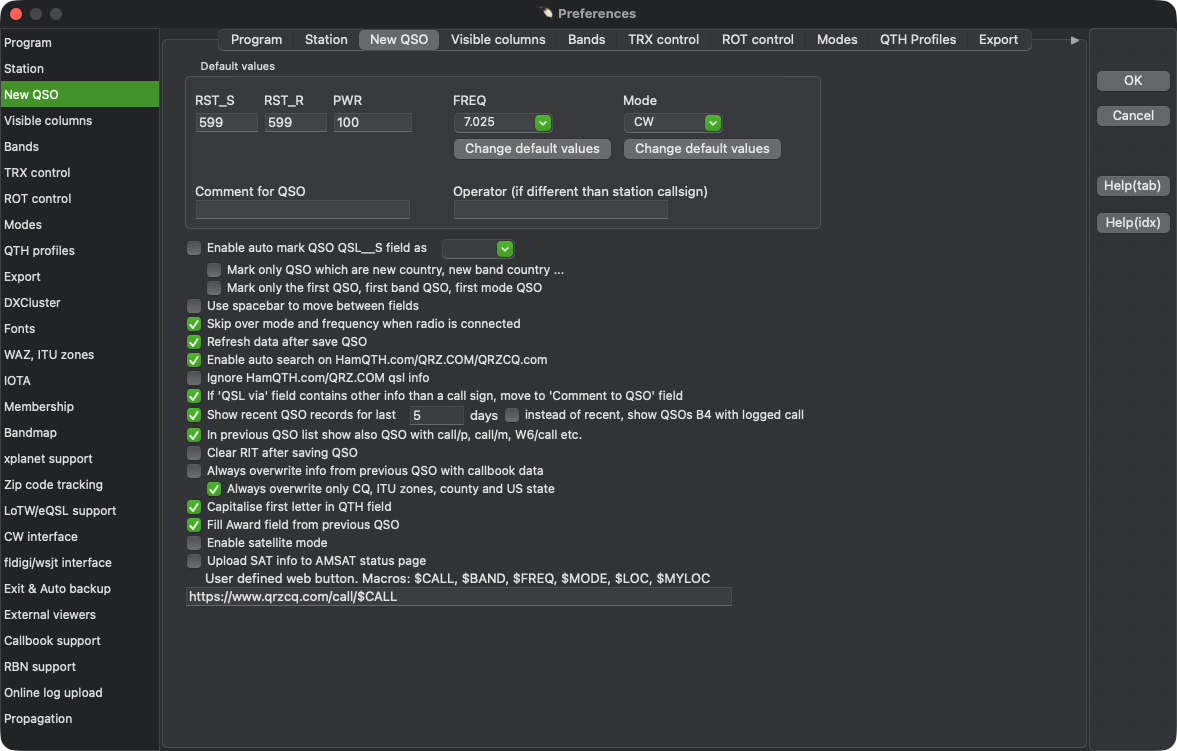 Preferences: New QSO
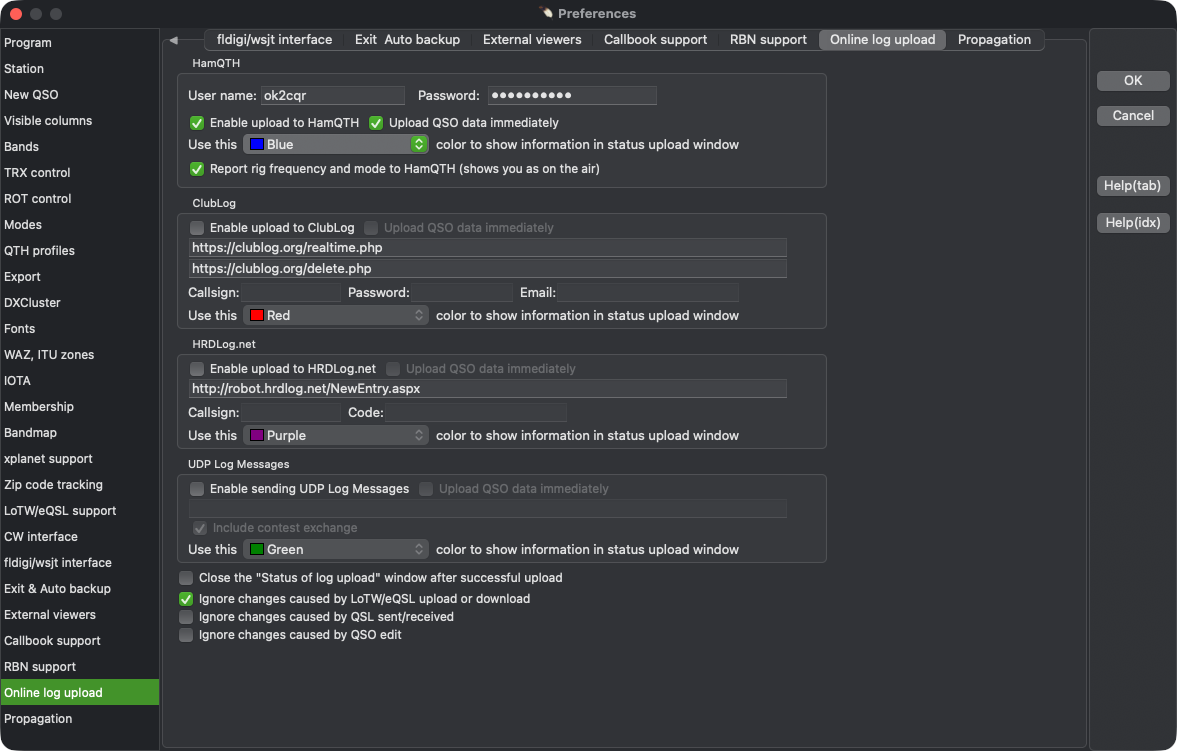 Preferences: online log upload
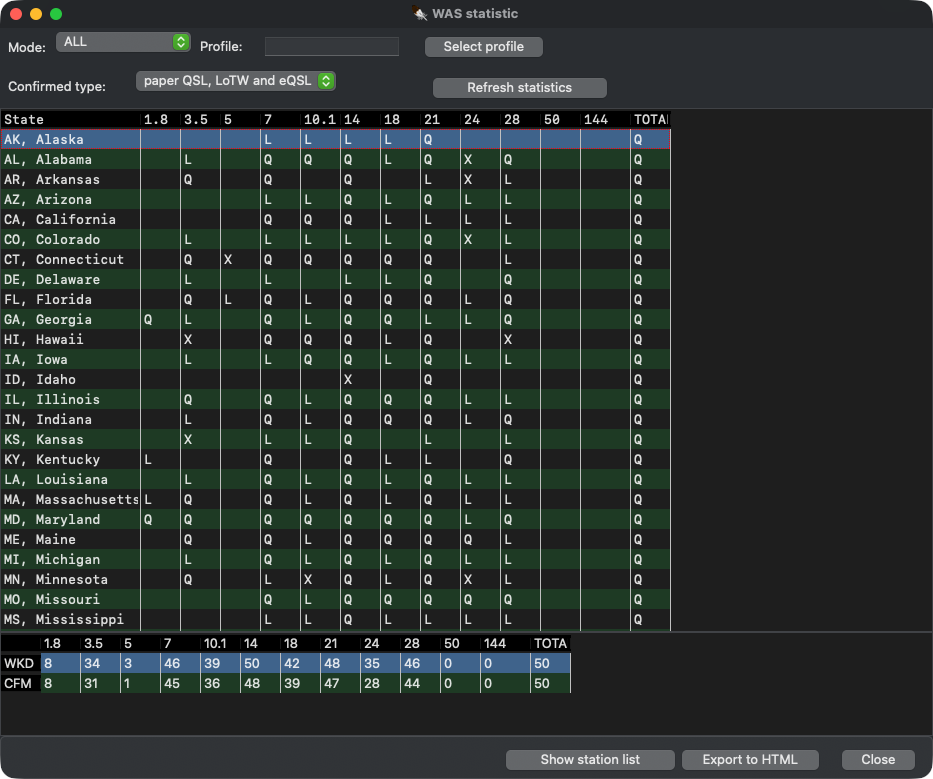 WAS statistics
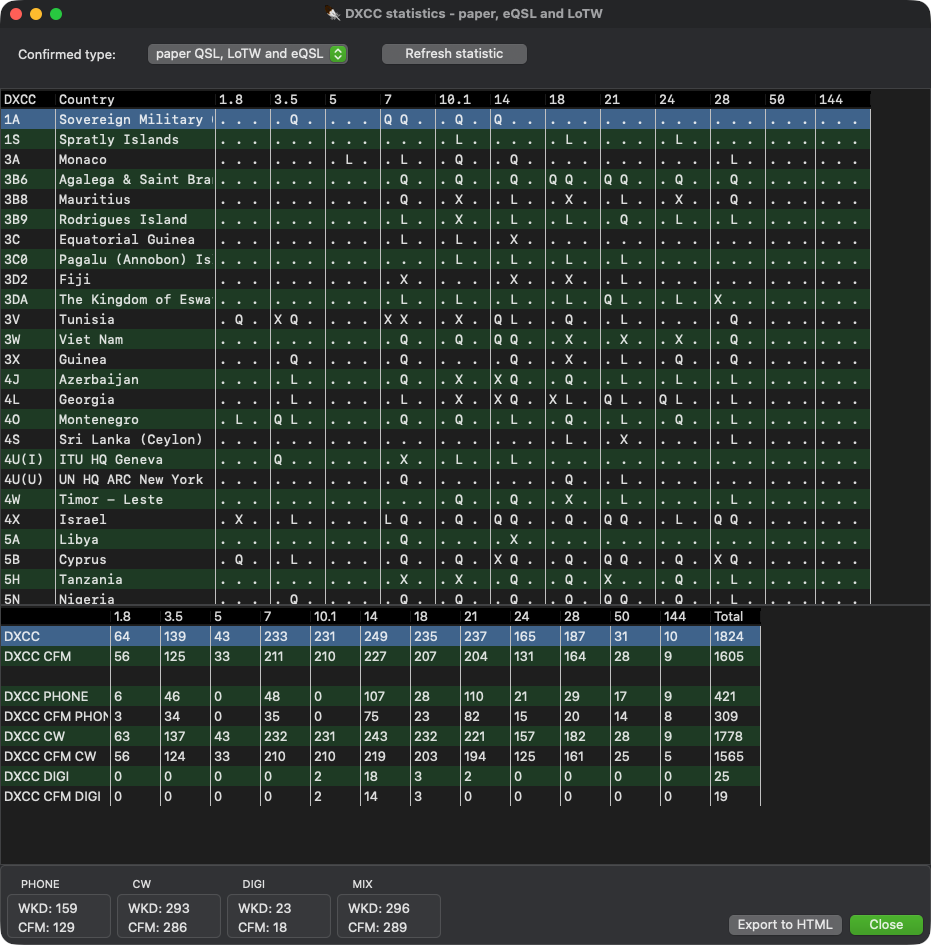 DXCC statistics, paper QSL, LoTW and eQSL
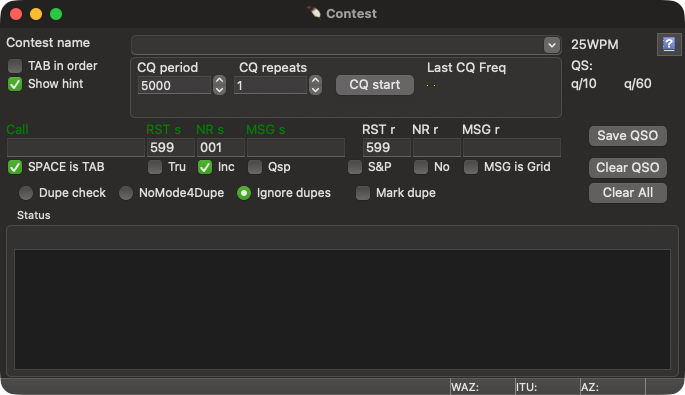 Contest window: serial numbers, dupe check and automatic CQ